
一、简介
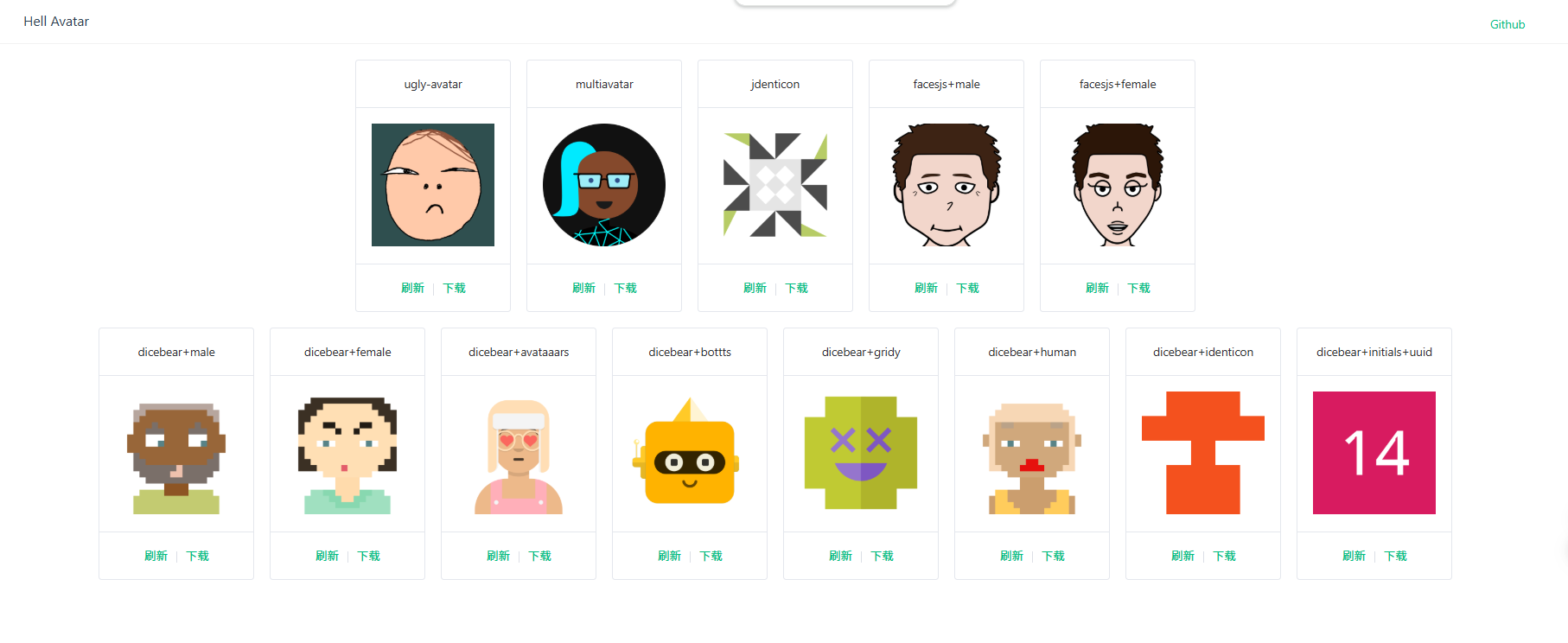
- 集成多种头像生成方案,包括:ugly-avatar、multiavatar、jdenticon、facesjs、dicebear等
- 支持docker部署,支持API调用
- 项目开源地址:https://github.com/luler/hello_avatar
二、安装
- 准备好docker、docker-compose环境
- 新建docker-compose.yml,配置内容如下:
version: '3'
services:
hello_avatar:
image: dreamplay/hello_avatar
restart: always
ports:
- 13130:13130- 命令启动
docker-compose up -d三、使用
通过访问在线页面使用,访问地址:http://localhost:13130/
通过API接口调用使用
API接口(GET):http://localhost:13130/avatar
参数控制:
| 字段 | 是否必填 | 类型 | 简介 |
|---|---|---|---|
| type | 否 | string | 生成头像类型: |
| style | 否 | string | 风格类型,仅当type=dicebear时有效: |
| seed | 否 | string | 头像生成种子变量,仅当type=dicebear且style=initials时有效 |
| gender | 否 | string | 头像生成性别,仅当type=facesjs时有效 |
四、总结
- 能够docker一键部署,高效生成多种类型的头像,可以满足多数应用开发场景需求
- 可以作为一个独立的头像生成服务,通过API的方式集成到第三方系统

评论
发表评论