
一、简介
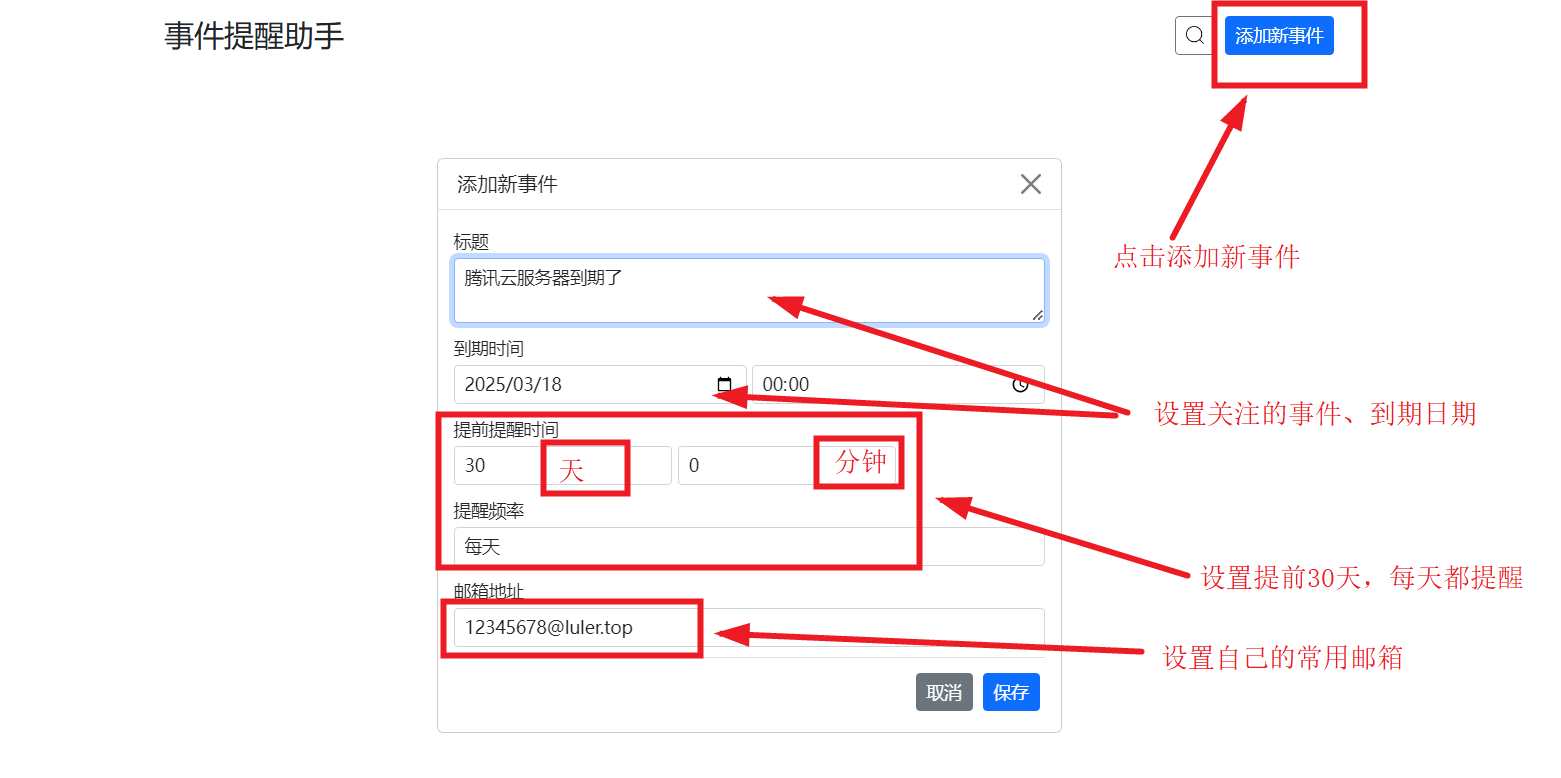
- 用户输入自己关注的各种事件,设定提醒规则,系统会根据配置的提醒时间规则进行邮箱通知
- 支持docker一键部署
- 开源地址:https://github.com/luler/hello_schedule
二、安装
- 提前安装好docker、docker-compose环境(这里不做赘述)
- 拉取代码,进入目录
//拉取代码 git clone https://github.com/luler/hello_schedule.git //进入代码目录 cd hello_schedule - 代码下已有docker-compose.yml文件,配置内容如下,可以修改映射端口等
version: '3' services: image_background_changer: image: ghcr.io/luler/hello_schedule:latest # build: # context: . # dockerfile: Dockerfile restart: always ports: - 5000:5000 volumes: - .:/app #数据持久化 environment: - TZ=Asia/Shanghai - 复制代码下.env.example为.env,输入正确的smtp配置,内容如下:
DEBUG=false SMTP_SERVER=smtp.xxx.com SMTP_PORT=465 SMTP_USER=admin@123.top SMTP_PASSWORD=123456 - 直接启动
docker-compose up -d
三、使用
访问页面:http://127.0.0.1:5000/ ,管理自己关注的事件
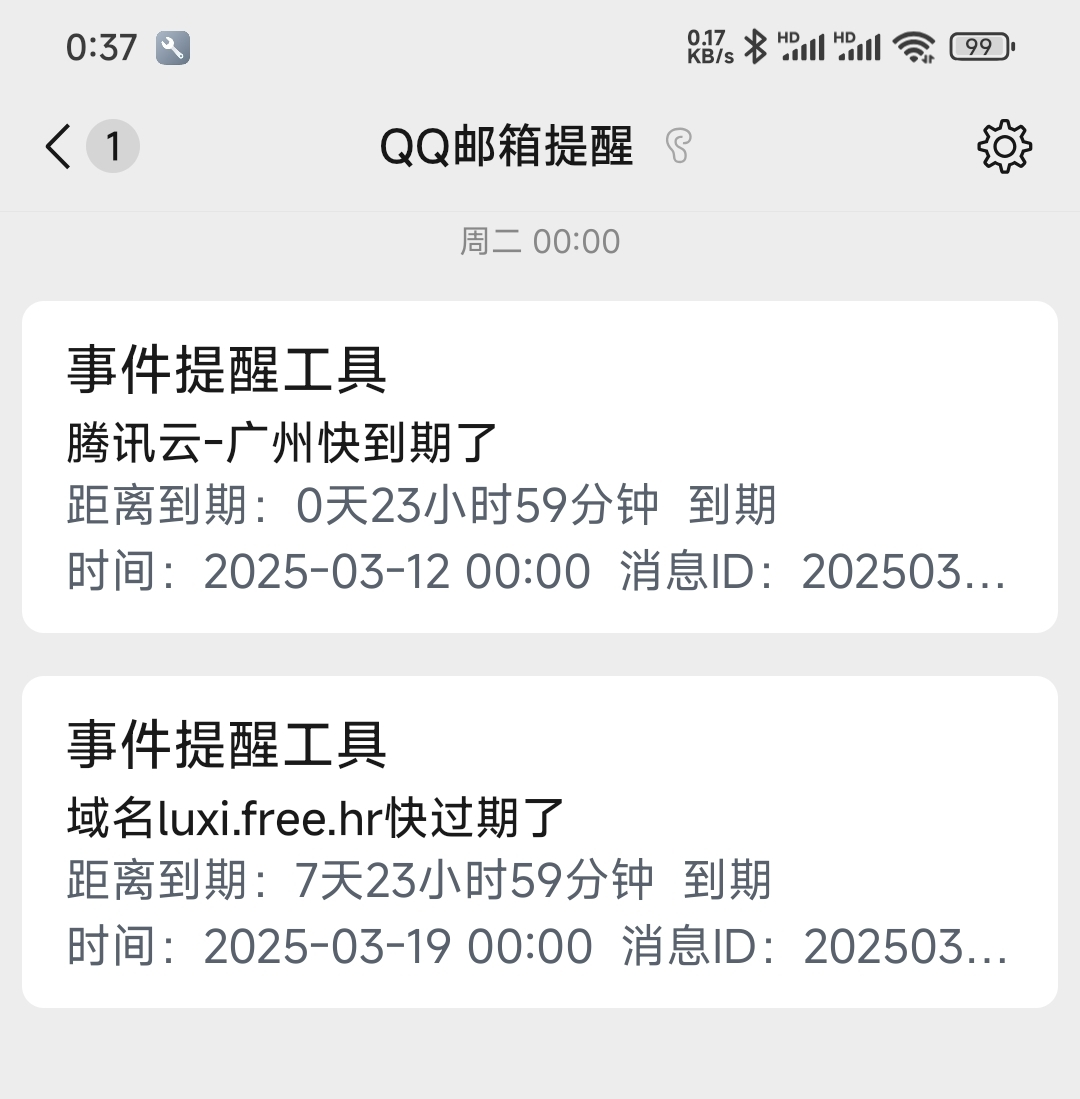
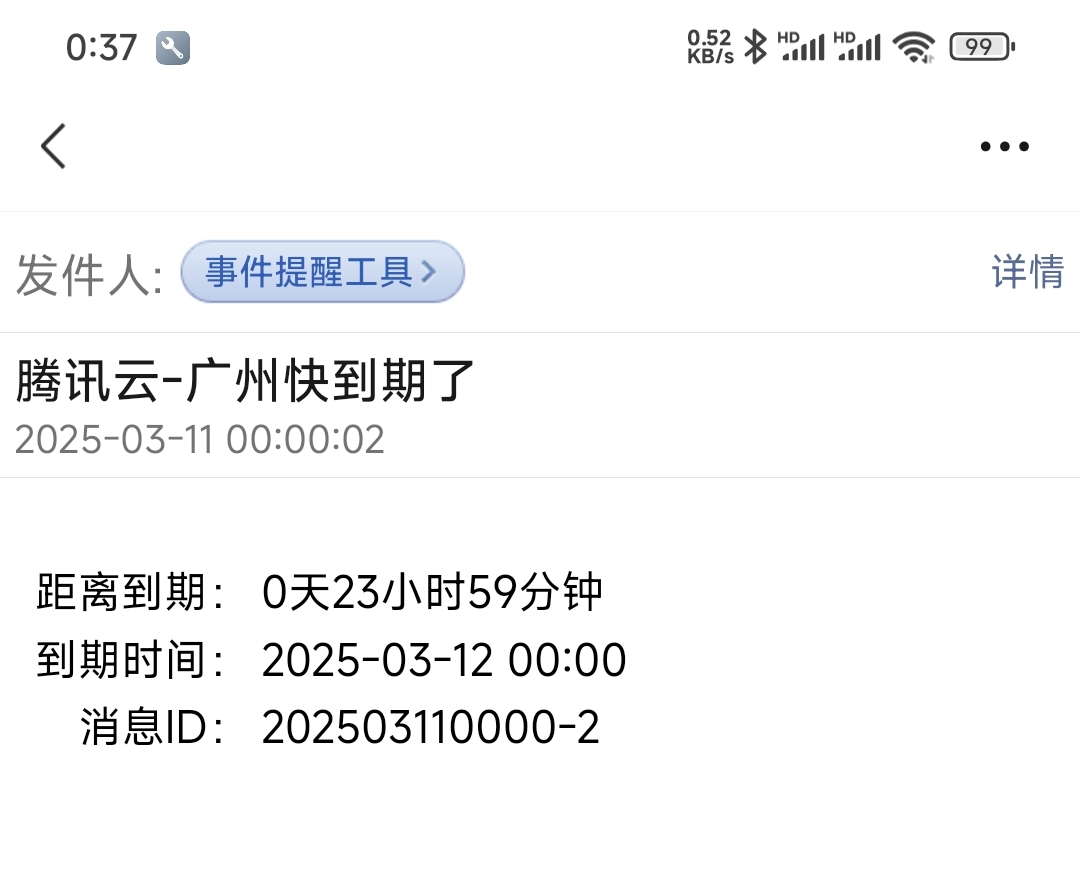
邮箱提醒样例(微信里的qq邮箱提醒)
四、总结
- 功能比较简单,适合哪些需要长期管理且内容重要的事件,如开发资源(服务器、域名、证书等)过期,某某生日等
- 其中较好的一点就是可以设置临期循环多次提醒,避免提醒一次导致遗忘
- 演示试用地址:https://cas.luler.top/?search=674b3b5f4c930
评论
发表评论